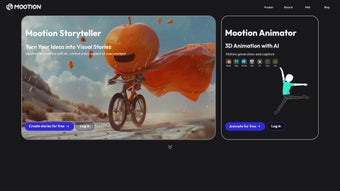

Download Mootion – AI‑Driven 3D Creation Tool, Free, Secure & Easy
Overview – Transform Ideas into 3D Motion with AI
Mootion is reshaping the way creators approach three‑dimensional content. Built on a robust artificial‑intelligence engine, the platform eliminates the steep learning curve traditionally associated with 3D animation, modeling, and video production. Whether you are a seasoned VFX artist, a game developer looking for rapid prototyping, an educator designing interactive lessons, or a hobbyist eager to bring a concept to life, Mootion offers a unified workspace where ideas become motion with just a few clicks.
The core philosophy behind Mootion is “simplicity without compromise.” By leveraging AI, the tool translates plain text into fluid motion, converts motion data into high‑quality video, and even retrofits existing footage into immersive 3D scenes. This triad of capabilities—Text‑to‑Motion, Motion‑to‑Video, and Video‑to‑Motion—covers the entire creative pipeline, from ideation to final export. Beyond its technical prowess, Mootion cultivates a collaborative community.
Users can share projects, remix each other’s work, and draw inspiration from a constantly expanding library of templates and demos. The platform is hosted in the cloud, ensuring that updates are delivered instantly, and that files are securely stored with end‑to‑end encryption. In short, Mootion is not just another animation app; it is a creative hub that democratizes 3D production, accelerates workflows, and fosters a vibrant ecosystem of creators across Windows, macOS, Android, and iOS.
Its subscription‑free entry point makes it accessible for students and startups, while the optional Pro tier unlocks enterprise‑grade rendering and team‑wide collaboration tools.
Key Features – What Mootion Brings to Your Workflow
- Text‑to‑Motion: Input a simple sentence or paragraph and watch Mootion generate a fully rigged 3D animation that matches the described action.
- Motion‑to‑Video: Convert raw motion data into polished, cinematic video clips with automatic lighting, shading, and camera moves.
- Video‑to‑Motion: Upload any 2‑D video; Mootion’s AI reconstructs depth information and creates a manipulable 3D motion layer.
- Cross‑Platform Cloud Workspace: Seamlessly switch between desktop and mobile devices while your projects stay synchronized.
- Real‑Time Collaboration: Invite teammates to edit, comment, or remix scenes directly within the browser.
- Extensive Asset Library: Access pre‑built models, textures, and animation presets that can be dropped into any project.
- One‑Click Export: Export to popular formats such as FBX, GLTF, MP4, or directly to Unity and Unreal Engine.
- Secure Cloud Storage: All assets are encrypted at rest and in transit, complying with GDPR and CCPA standards.
- Regular AI Model Updates: The platform receives monthly improvements that expand language understanding and motion realism.
- Free Tier with Optional Pro Upgrade: Start creating without paying, then unlock advanced rendering, higher resolution exports, and priority support.
Each of these features has been designed with user experience in mind. For instance, the Text‑to‑Motion engine parses natural language cues, identifies verbs, objects, and contextual modifiers, then maps them onto a skeletal rig that animates in seconds. The Motion‑to‑Video pipeline incorporates AI‑driven camera framing, automatically selecting angles that best showcase the movement while preserving cinematic pacing.
Video‑to‑Motion uses depth‑estimation networks to reconstruct a 3‑D space from flat footage, allowing creators to add virtual cameras or additional characters after the fact. This flexibility dramatically cuts down production time, especially for indie teams that lack dedicated rotoscoping or motion‑capture resources. Moreover, the collaborative hub is built on WebRTC technology, providing low‑latency editing sessions that feel as responsive as a local desktop application.
The asset library is continuously refreshed by both Mootion’s internal team and community contributors, meaning fresh textures, rigs, and motion presets appear weekly. Whether you’re drafting a quick prototype, polishing a final cut, or teaching a class on 3D storytelling, Mootion’s feature set scales with the complexity of your project while keeping the interface intuitive and clutter‑free.
Installation, Usage & Compatibility – Get Started on Any Device
Getting Mootion up and running is intentionally straightforward. Because the core engine lives in the cloud, the only local requirement is a modern web browser (Chrome, Edge, Firefox, or Safari) on a supported operating system. For those who prefer a native feel, downloadable clients are available for Windows 10/11, macOS 12+, Android 8+, and iOS 13+. The installation process follows a familiar pattern:
- Visit the official Mootion website and click the “Download” button that matches your OS.
- Run the installer (Windows: .exe, macOS: .dmg, Android/iOS: from the respective app store).
- Accept the end‑user license agreement and allow the app to access your local storage for caching assets.
- Log in with your email or use a single‑sign‑on option (Google, Apple, or Microsoft).
- Complete the brief onboarding tutorial that demonstrates Text‑to‑Motion, Motion‑to‑Video, and Video‑to‑Motion workflows.
Once installed, launching Mootion presents a clean dashboard: a project grid on the left, a real‑time 3D viewport in the center, and a contextual toolbar on the right. To create a new animation, click “New Project,” choose a template (or start from scratch), and type a description such as “A dragon soaring over a misty canyon.” Within seconds, the AI generates a rigged dragon model, sets up a flight path, and populates the scene with atmospheric effects. Users can fine‑tune the motion by dragging keyframes, adjusting lighting, or swapping assets from the library.
Export options are accessible via the “Publish” button, where you can select format, resolution, and destination (local file, cloud link, or direct engine integration). For mobile users, the same workflow is available through touch‑optimized controls, allowing on‑the‑go brainstorming sessions. The app also includes a built‑in version‑control system that automatically saves incremental snapshots, making it easy to revert to earlier states or compare variations side‑by‑side.
Mootion’s compatibility list includes:
- Windows 10/11 (64‑bit)
- macOS 12 Monterey or later (Intel & Apple Silicon)
- Android 8.0 and up (ARM64 recommended)
- iOS 13 and up (iPhone SE2, iPad Pro, etc.)
- Web browsers: Chrome 90+, Edge 90+, Firefox 88+, Safari 14+
System requirements are modest: a dual‑core CPU, 4 GB RAM, and a GPU that supports WebGL 2.0 (most integrated graphics meet this baseline). For high‑resolution exports or complex scenes, a dedicated GPU with at least 2 GB VRAM will improve render times. Because all heavy AI processing occurs on Mootion’s servers, even low‑end devices can produce professional‑grade output, making the tool truly inclusive. In addition, Mootion offers optional offline caching for small projects, allowing you to work without an internet connection and sync changes once you’re back online.
Pros, Cons & Frequently Asked Questions
Pros
- AI‑driven workflows dramatically reduce manual keyframing.
- Cross‑platform support ensures seamless switching between desktop and mobile.
- Free tier provides substantial functionality before any purchase.
- Secure cloud storage protects intellectual property.
- Rich asset library and collaborative hub foster community creativity.
- Automatic cloud updates keep the software current without user intervention.
- Intuitive UI makes it accessible for beginners while still offering depth for pros.
Cons
- Reliance on internet connectivity for AI processing; offline mode is limited.
- Advanced rendering features (e.g., ray tracing) are locked behind the Pro plan.
- Learning curve for mastering the full suite of AI tools, despite overall simplicity.
- Export of very high‑resolution video may require additional storage space.
- Customization of AI‑generated motion is possible but can be less precise than hand‑crafted rigs for niche use‑cases.
- Subscription costs for the Pro tier may be a barrier for very small studios.
FAQ
Is Mootion really free to use?
Yes, Mootion offers a robust free tier that includes unlimited Text‑to‑Motion conversions, access to the core asset library, and cloud storage up to 5 GB. Pro features such as high‑resolution video export, priority AI model updates, and team collaboration tools are available via a subscription.
Can I use Mootion for commercial projects?
Absolutely. Both the free and paid plans grant commercial usage rights. However, the Pro plan removes the mandatory Mootion watermark and offers higher‑resolution exports, which are often required for broadcast or game‑engine integration.
What file formats does Mootion support for export?
Mootion can export 3D models as FBX and GLTF, video clips as MP4 (H.264) or MOV, and animated sequences as JSON for direct import into Unity, Unreal Engine, or custom pipelines.
How secure is my data on Mootion’s cloud?
Mootion employs AES‑256 encryption for data at rest and TLS 1.3 for data in transit. The platform is GDPR‑ and CCPA‑compliant, and you can enable two‑factor authentication for added protection.
Do I need a powerful GPU to run Mootion?
Because the heavy AI processing happens on Mootion’s servers, most modern integrated GPUs are sufficient for previewing and editing. For final high‑resolution renders, a dedicated GPU can speed up local post‑processing, but it is not a strict requirement.
Can I collaborate with teammates in real time?
Yes. Mootion’s real‑time collaboration feature lets multiple users edit the same project simultaneously, leave comments, and version‑track changes. All collaborators see updates instantly, making remote teamwork smooth and efficient.
Conclusion – Start Creating 3D Motion Today
Mootion bridges the gap between imagination and execution, turning complex 3D workflows into an intuitive, AI‑assisted experience. Its blend of Text‑to‑Motion, Motion‑to‑Video, and Video‑to‑Motion capabilities empowers creators of any skill level to produce professional‑grade animation without the overhead of traditional pipelines. With secure cloud storage, cross‑platform accessibility, and a thriving community, Mootion stands out as a forward‑looking solution for freelancers, studios, educators, and gamers alike. If you’re ready to accelerate your production timeline, explore new creative possibilities, and join a collaborative network of innovators, download Mootion now and start shaping the future of 3D content. Download Mootion today and enjoy a free trial that showcases the full power of AI‑driven motion creation.



.png)



